> For the complete documentation index, see [llms.txt](https://docs.pos3d.vn/llms.txt). Markdown versions of documentation pages are available by appending `.md` to page URLs; this page is available as [Markdown](https://docs.pos3d.vn/huong-dan-cai-dat.md).
# Hướng dẫn cài đặt
Cài đặt pos3d trên các nền tảng
## IOS
**Cài đặt ứng dụng từ QR code:**
Download Pos3d IOS
**Hoặc Click vào đây**
{% embed url="" fullWidth="false" %}
Link download
{% endembed %}
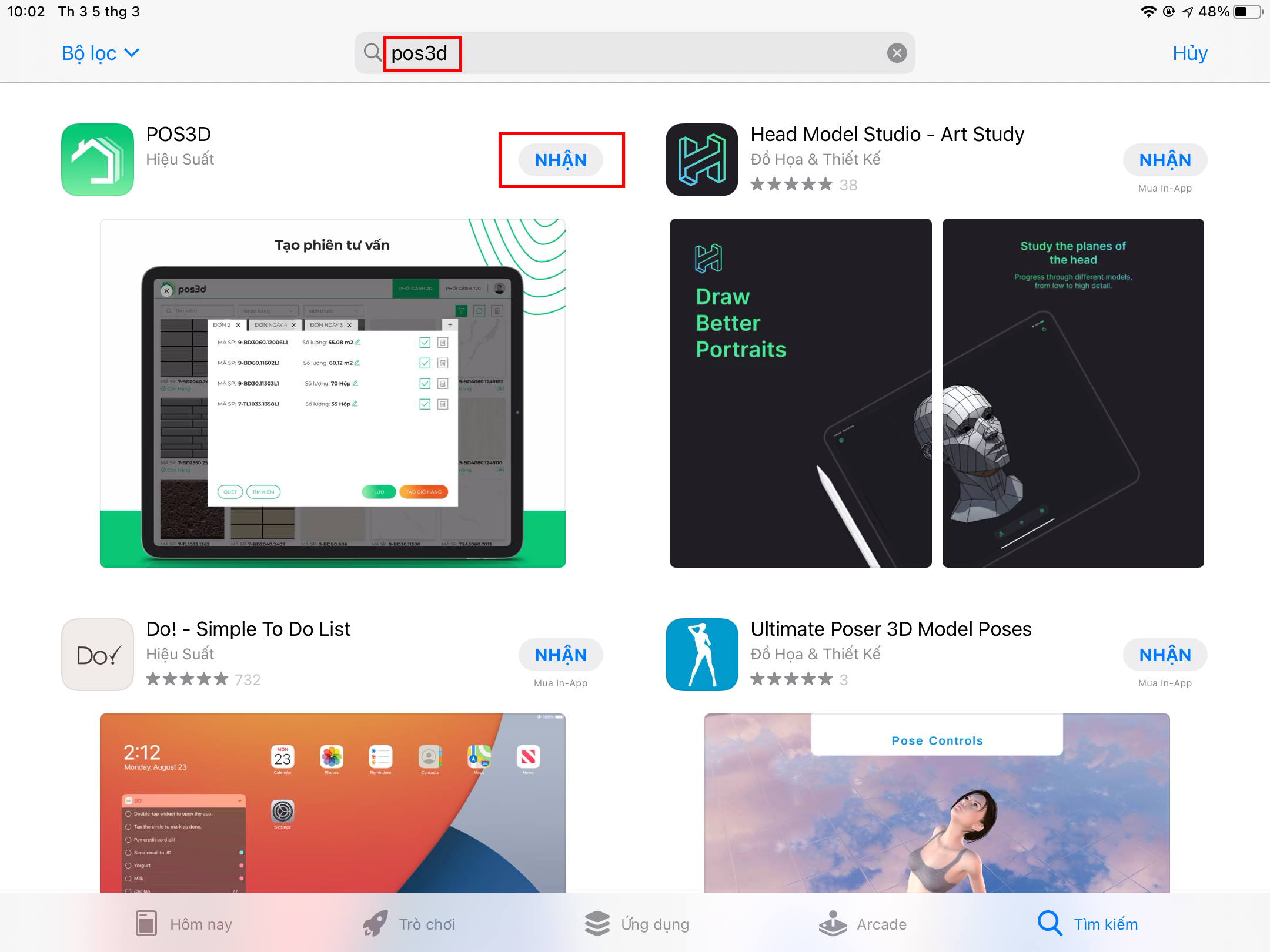
**Cài đặt ứng dụng từ App Store (iOS):**
1. **Mở App Store:** Trên thiết bị iOS của bạn, tìm và mở ứng dụng "App Store".
2. **Tìm ứng dụng:** Sử dụng thanh tìm kiếm ở phía trên để nhập tên "POS3D".
3. **Chọn ứng dụng:** Khi bạn đã tìm thấy ứng dụng mình muốn cài đặt, chạm vào biểu tượng của ứng dụng để mở trang thông tin chi tiết hoặc chạm vào nút "Nhận" (hoặc "Cài đặt" nếu bạn đã cài đặt trước đó) để cài đặt
Cặt đặt từ apple store
### Cấu hình thiết bị:
Các thiết bị dưới có cấu hình tối thiểu có thể đáp ứng cài đặt pos3d. Nên sử dụng cùng đời hoặc cao hơn
**IOS:**
* **iPad**
* Các dòng iPad 2019 trở lên
* iPad Pro 10.5 inch - 2017
* iPad Pro 12 9 inch thê hê thứ 2 - 2017
* iPad Pro 11 inch - 2018
* iPad Pro 12.9 inch - 2018
* **iPhone**
* iPhone X trở lên